 |
|

Make KidStart your home page in 2 easy steps:
|
 |
Click here to make KidStart your home page (Internet Explorer). Firefox users, click here |
 |
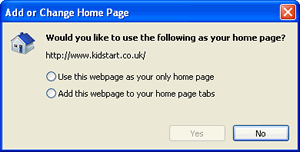
Choose whether you want KidStart to be your only homepage, or, if you use tabs, whether you want it to be one of your browser tabs
|
|
|
* Depending on your version of Internet Explorer, your box might look slightly different to the one pictured here.
* For other browser types, view your browser settings.
|
|

Its quick and easy to add KidStart to your browser favourites:
|
|
Hover your mouse over the "SHARE" button below, and select "Favourites"

|
|
|
 |
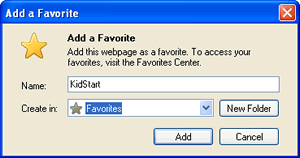
Choose where you want your KidStart link. Select Add.
|

|
 |
 |
Facebook and Twitter
Become a fan of KidStart on Facebook and Twitter
|
|

|
Screensaver:
Set your screen saver or background to be a picture of your kids - so you never forget them when you are shopping!
|
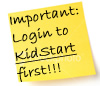 |
The old fashioned way - stick it!
Stick a post-it to your computer screen - it really works!
|
|
|
|
|